For 4K/8K and Higher Resolutions
The downloader cannot create detail that the source never had. To get a genuine 4K or 8K music video, the original page must offer a 2160p or 4320p stream. Higher resolution also means a larger file, and the available container or codec may differ from the 1080p version. If you specifically need MP4 for a TV, phone, editor, or media player, convert the downloaded high-resolution file afterward instead of choosing a lower-quality source just because it is already MP4.
For Playlists, Albums, and Channels
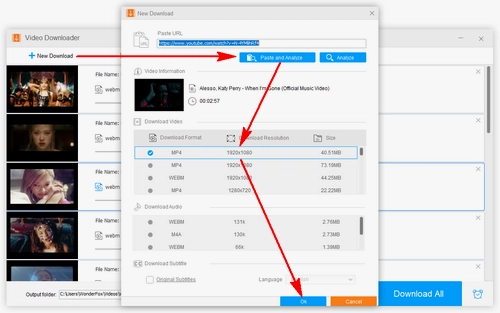
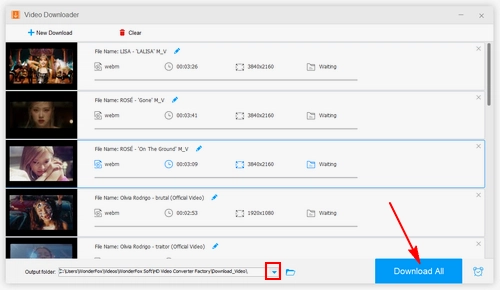
When a supported service provides a playlist or channel URL, paste that URL into Downloader rather than adding every song one by one. This is useful for an artist playlist, a concert set, or a collection of your own uploaded videos. Review the detected items before downloading so you do not save videos you do not need.
For Audio-Only Listening
If the visuals are not important, converting the downloaded music video to MP3, WAV, FLAC, or another audio format saves storage space and makes the file easier to use in a music player. Choose a lossless format such as FLAC or WAV only when the source audio quality justifies the larger file size.
When You Do Not Need a Third-Party Downloader
Use the platform's own option when it already does what you need. For example, YouTube Premium can store eligible videos for offline playback inside YouTube, while YouTube Studio can download videos you uploaded yourself. A desktop downloader is mainly useful when you want to keep a normal local file, need a specific format, or intend to process several supported URLs.



 How to & Tips
 Convert Video
 by
by